
Budget Planner is now in Obsidian Community Plugins
My Markdown-based budget planner can now be installed directly from Obsidian.
Jul 27, 2026 · 2 min readobsidian
A budget table inside an Obsidian note, kept as a plain Markdown code block.
Budget Planner keeps a budget inside an Obsidian note. You write a small code block, and in the editor it becomes a table: tick what is paid, edit names and amounts in place, drag rows between categories, and the totals add up on their own.
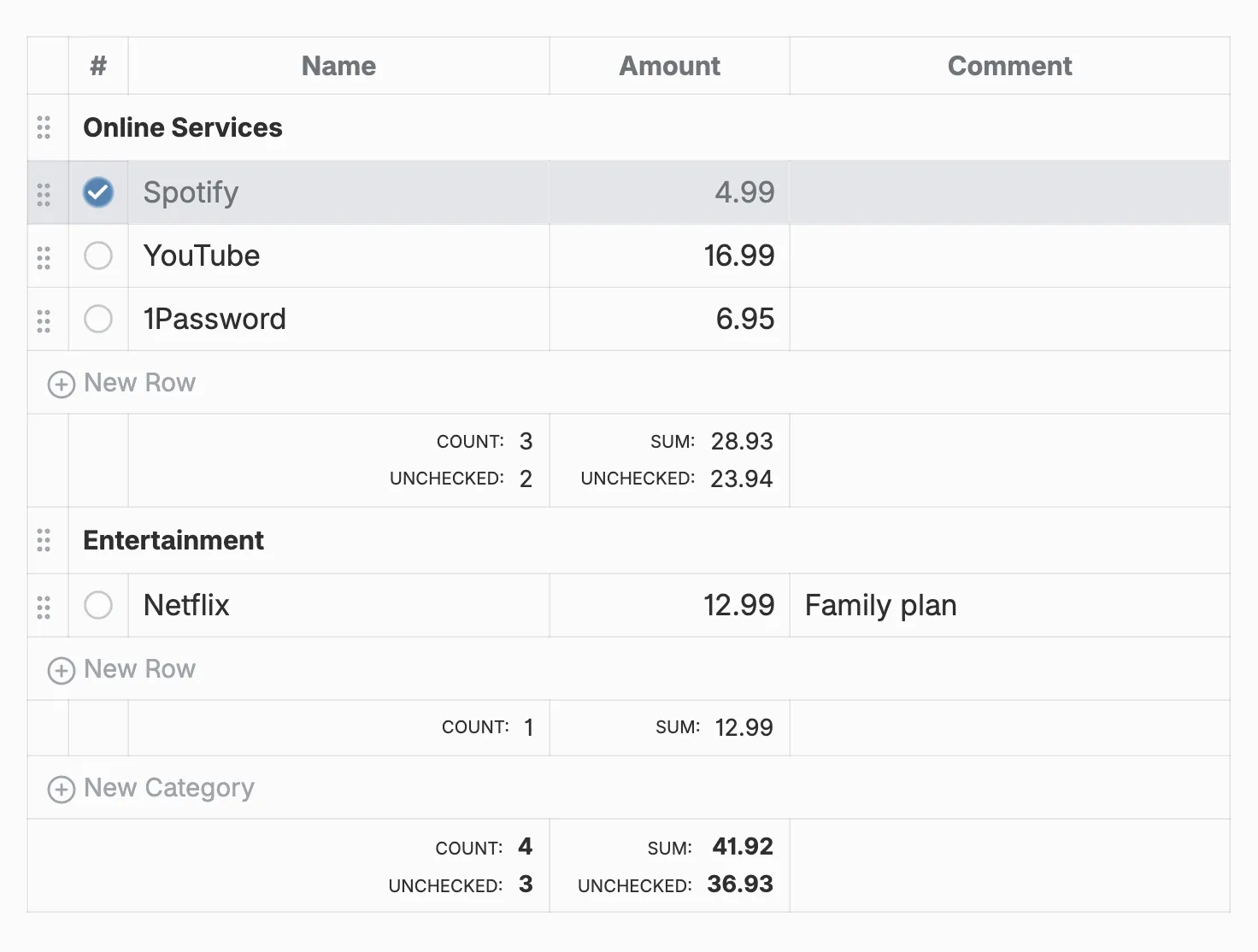
This is everything the table above is made of:
```budget
Online Services:
	[x] | Spotify   | 4.99
	[ ] | Youtube   | 16.99
	[ ] | 1Password | 6.95
Entertainment:
	[ ] | Netflix   | 12.99  | Family plan
```
A line ending in : starts a category. A row is a checkbox, a name, an amount and an optional comment, split by |. Every change made in the table rewrites the block with its columns aligned, so it stays easy to read and edit by hand. The table shows in the editor; Reading view shows the plain block.
Open Settings → Community Plugins → Browse, search for Budget Planner and install it. Then run Budget Planner: Insert budget block from the command palette in any note.